Bluetooth on smartphones is not limited to connecting earbuds, smartwatches or speakers. It can also be used to share mobile internet without activating a Wi-Fi hotspot, automatically lock a Windows laptop and turn a smartphone into a wireless keyboard or mouse.
Although Bluetooth is widely used, many smartphone users are unaware of some of its additional features. These functions can simplify everyday tasks, particularly when working on a laptop, sharing an internet connection or controlling another device wirelessly.
A smartphone's mobile internet connection can be shared with another device through Bluetooth Tethering, an option available on Android smartphones. This allows users to access mobile data on a connected device without activating a Wi-Fi hotspot.
For example, when travelling, users may need to send an important email from a laptop without having access to a Wi-Fi network. In such situations, Bluetooth Tethering can provide an alternative way to share the phone's mobile data.



To use this feature, open the smartphone's Settings and look for Bluetooth Tethering under Hotspot & Tethering or Connections. Turn on the option and pair the smartphone with the laptop through Bluetooth. Depending on the device, users may then need to select the internet connection through Bluetooth Personal Area Network in the laptop's network settings.
The names and locations of these settings may vary across smartphones and computers. Bluetooth Tethering generally offers lower speeds than a Wi-Fi hotspot, making it more suitable for browsing, messaging and other light online activities.
Users sometimes leave their laptops unlocked when stepping away from their desks, potentially exposing information displayed on the screen. Windows offers a feature called Dynamic Lock that can help address this situation.
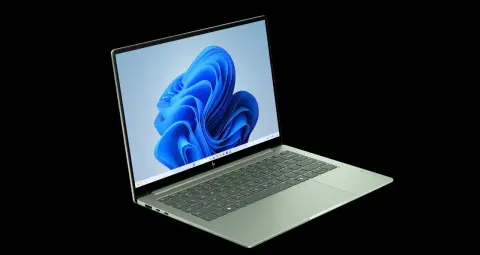
To use Dynamic Lock, connect the smartphone to the Windows laptop through Bluetooth. Next, open Settings on the computer, navigate to Accounts and select Sign-in options. Under the Dynamic Lock section, enable the option that allows Windows to lock the device automatically.

Once enabled, Windows can detect when the paired smartphone moves away and the Bluetooth connection is lost. The computer may then lock automatically after a short delay.
However, Dynamic Lock should not be treated as an immediate security measure. Pressing Windows + L to lock the screen manually before leaving the laptop remains the safer approach. Dynamic Lock can be used as an additional security feature.
A smartphone can also serve as a wireless keyboard or mouse when a computer's mouse is unavailable or when users need to type something on a smart TV.
This functionality requires a compatible smartphone or application that supports Bluetooth HID (Human Interface Device). The technology allows a device to function as a keyboard or mouse.
After installing a supported application and granting the necessary permissions, users can connect their smartphones to a computer or smart TV through Bluetooth. Depending on the application and device compatibility, the phone's screen can provide touchpad and keyboard controls.
This feature can make it easier to search for content on a smart TV or control a computer's cursor remotely. However, Bluetooth HID support varies across smartphones and operating systems. Users should check application compatibility and permissions before downloading an app.
Although Bluetooth offers several conveniences, users should follow basic security precautions. Avoid accepting pairing requests from unknown devices. Devices that are no longer in use can be removed from the phone's paired-device list.
Internet sharing consumes mobile data, while applications using Bluetooth should not be granted unnecessary permissions. Users should also download applications only from trusted sources.
Understanding these built-in features can help smartphone users complete several everyday tasks without additional cables or accessories. Android users with Windows laptops can check whether Bluetooth Tethering and Dynamic Lock are available on their devices.