
If your Android phone's power button suddenly stops working, there's no need to panic. Many smartphones, including Google Pixel and Samsung Galaxy, have software features that allow you to easily restart the device without pressing the power button. The Quick Settings Panel and Accessibility Menu are the most useful options for this.
Android Restart Trick: Many Android users face the problem of their phone's power button suddenly stopping working, requiring an immediate device restart, especially in cases of malfunction or system freezes. In such situations, built-in features like the Quick Settings Panel and Accessibility Menu, found in smartphones like Google Pixel and Samsung Galaxy, prove helpful. These features allow users to restart their phone with just a screen touch, eliminating the need for any hardware buttons, thereby simplifying device maintenance and extending the power button's lifespan.
Instant Restart via Quick Settings Panel




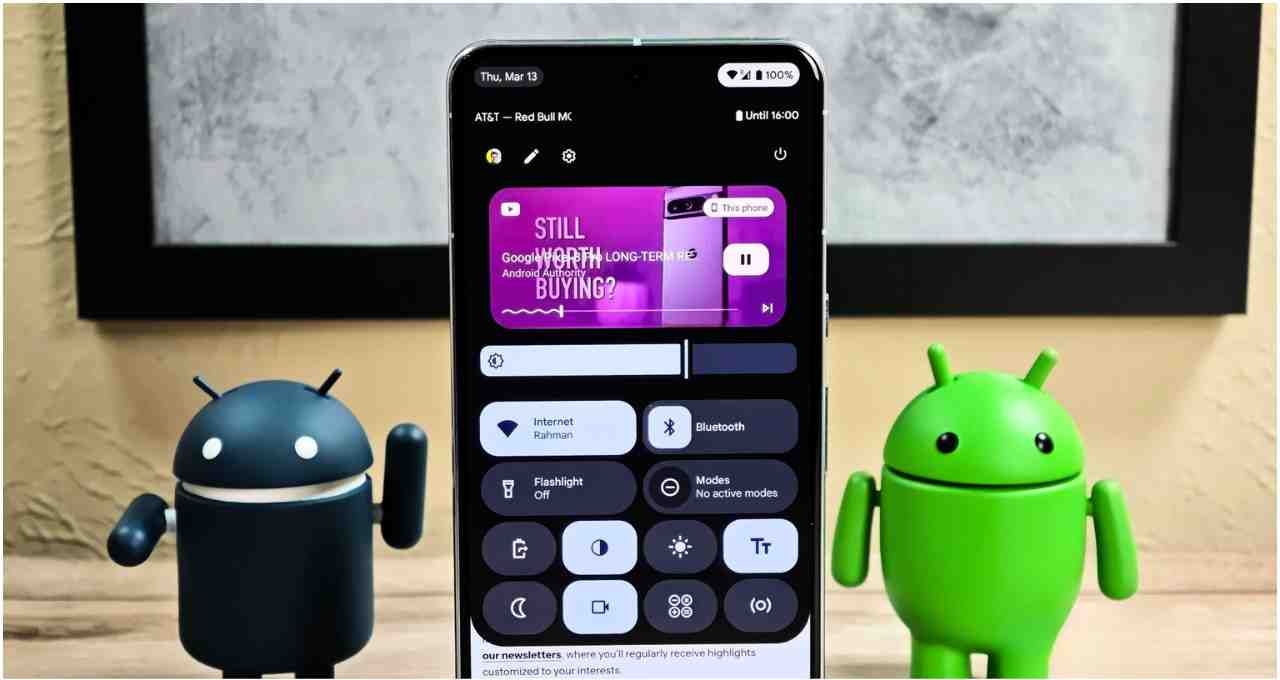
On many Android devices, the Quick Settings Panel proves to be the easiest way to restart. To do this, the user simply needs to swipe down twice from the top of the screen to open the full quick panel. After tapping the Power icon provided there, the phone can be restarted by selecting the Restart option.
The layout of this feature might vary slightly depending on the phone brand and Android version, but this functionality is present in almost every device. Therefore, if the power button fails, this method can be tried first.
Accessibility Menu is also Effective
If the power button has completely stopped responding, the Accessibility Menu becomes a reliable alternative. To activate it, one needs to go to Settings and turn on the Accessibility Menu. Afterward, a floating icon appears on the screen, offering various controls, including the power option.
By selecting Restart with a single tap, the phone can be easily restarted. This feature is particularly available in the Google Pixel series, whereas some Samsung devices do not offer this option. In such cases, the Quick Settings Panel proves more useful.
Why These Software Features Are Important
The biggest advantage of these features is that they help operate the phone without any repairs or extra tools. Continuously pressing physical buttons affects the hardware and can cause it to wear out over time. Software-based methods extend the phone's lifespan and enhance the user experience.
The restart process clears the phone's memory, removes temporary files, and ensures the system runs smoothly. This allows users to maintain their device without hassle, even if the power button is broken.