Features like Memory, Custom Instructions, Integration, and Voice Mode are making work faster and easier for ChatGPT users. By enabling the right settings, users can get their desired responses and utilize ChatGPT as a smart personal assistant.
ChatGPT Smart Settings: Certain advanced ChatGPT settings are rapidly gaining popularity among users for speeding up studies, office work, and digital tasks. This information has become even more crucial for users worldwide, including India, where people are increasingly relying on AI for their daily routines. Activating features such as Memory, Custom Instructions, Integration, and Voice Mode saves time, improves work quality, and eliminates the need for repetitive instructions.
Keeping Memory On Eliminates the Need to Repeat Settings Every Time




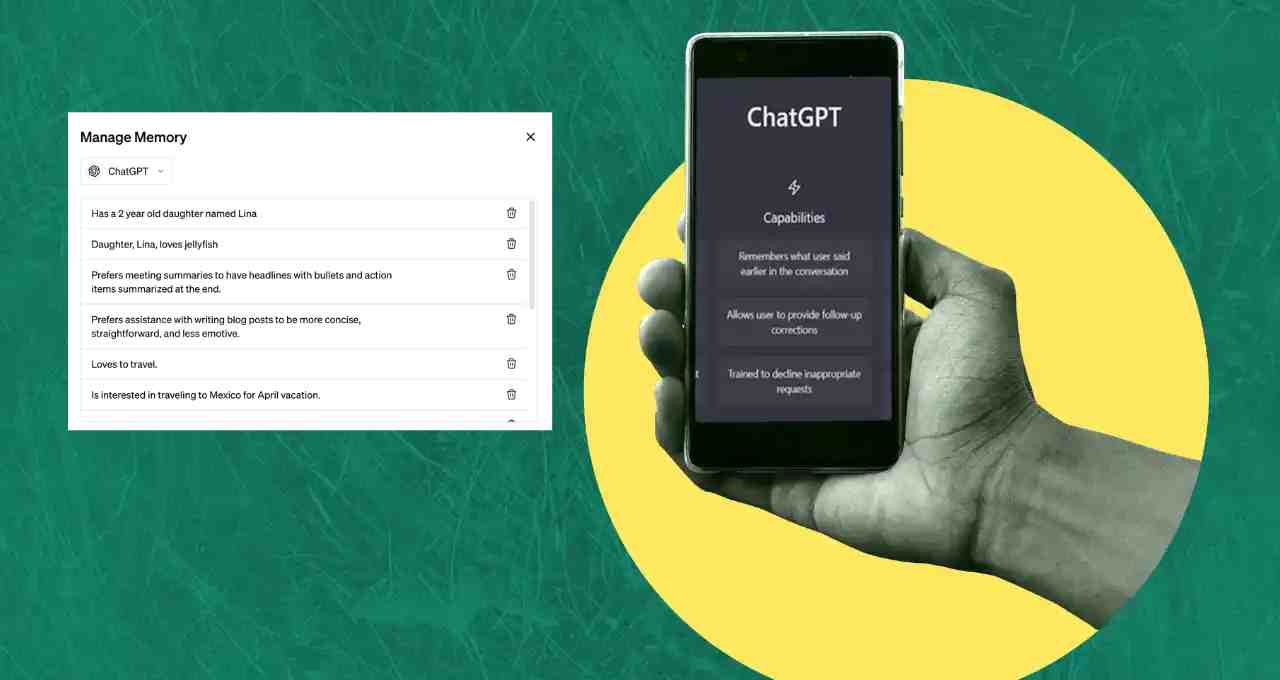
Keeping the Memory feature on in ChatGPT allows it to remember your preferences, writing style, and essential information. The advantage of this is that you don't need to reintroduce yourself or state your requirements in every new chat.
Based on past conversations, the chatbot gradually learns what kind of responses you prefer. This speeds up your work and eliminates the hassle of repeatedly explaining the same things.
Get Customized Responses with Custom Instructions
ChatGPT's Custom Instructions feature gives users the freedom to define the tone and format in which the chatbot will respond. You can clearly specify whether you need a short or detailed answer, simple language or a professional tone.
Once set, every response will align with your preferences. This feature is proving to be particularly beneficial for content creators, students, and professionals.
Integration and Voice Mode Will Create a Smart Assistant
By connecting ChatGPT with browsers, calendars, and other apps, you can use it as a smart digital assistant. After integration, it can fetch necessary information and help you manage your daily tasks.
Meanwhile, Voice Mode is highly effective for those who are uncomfortable with typing or are multitasking. This feature allows you to interact with ChatGPT without touching the screen, making your work even easier.