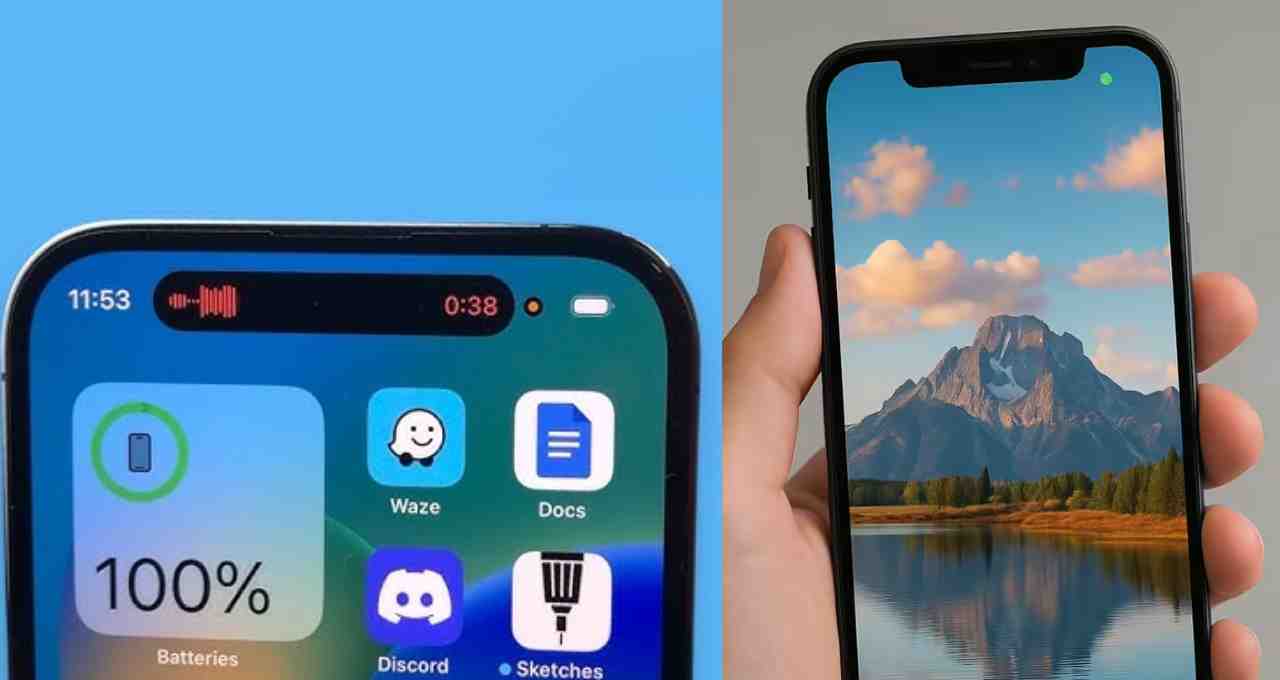
The iPhone now incorporates green and orange dots to safeguard user privacy. The green dot illuminates when the camera is active, while the orange dot indicates microphone usage. This feature alerts users to which apps are accessing the camera or microphone without permission, enabling immediate tracking of suspicious activity.
iPhone Privacy Features: Recent iPhone models feature green and orange dots, visually representing camera and microphone activity. A green dot signifies the camera is active, and an orange dot indicates the microphone is in use. This proactive measure enhances user security and privacy by detecting unauthorized background access and allowing for immediate termination of such apps.




Meaning of the Green and Orange Dots on iPhone
In recent iPhone models, green and orange dots have been added to display camera and microphone usage. A green dot signifies that the camera is active, and an orange dot indicates that the microphone is being utilized. These visual alerts are designed to protect user privacy by preventing apps from accessing the camera or microphone without explicit authorization in the background.
Identifying Apps Accessing Camera or Microphone
If the dots are illuminated while you’re not actively using an app, you can quickly identify which app is accessing the camera or microphone through the Control Center. It’s crucial to immediately terminate any suspicious apps to maintain security and prevent potential malware or unauthorized access. This feature provides a vital layer of protection against malicious software.
Managing Camera and Microphone Permissions
The green and orange dots on iPhones are permanent and cannot be disabled. However, you can control which apps have access to the camera and microphone by navigating to Settings > Privacy > Camera and Microphone. This provides users with greater control over their privacy and security settings.