
Instagram includes an Active Status feature that displays a user’s online presence to others. Users can disable this setting to hide their online activity, which prevents their status from being visible to other accounts.
The setting is available on Android, iPhone, and the web version of the app and can be changed through the “Settings and Activity” section of the profile. When the feature is enabled, a green dot appears next to the user’s profile, and indicators such as “Active Now” or “Last Active” may appear in the message section.




Instagram has a feature called Active Status that shows when a user is active on the platform. When the feature is turned on, a small green dot appears next to the profile, indicating that the user is currently active on the app.
In the message section, indicators such as “Last Active” or “Active Now” may also appear. This allows people the user has chatted with or accounts that follow them to see when the user last opened Instagram.
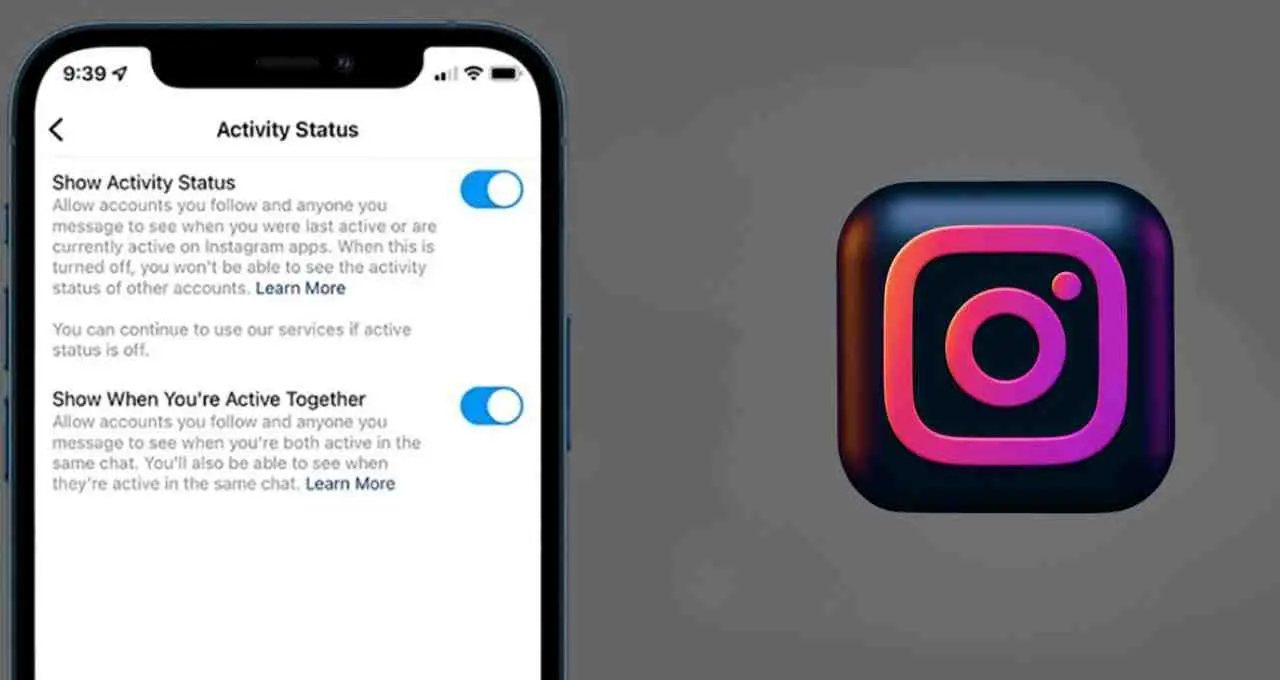
Users who want to hide their online activity can turn off the Active Status feature. After disabling it, the user’s online information is no longer visible to other accounts.
When the setting is turned off, users also cannot see when their friends or other accounts are online. The feature therefore works in both directions.
The process to disable Active Status in Instagram can be completed in a few steps.
Users need to open the app and go to their profile. From there, they should tap the three-line menu at the top and open the “Settings and Activity” section. Within this section, the “Messages and Story Replies” option is available.
A toggle labeled “Show Activity Status” appears in this section. Once the toggle is turned off, the user’s online activity is no longer visible to others. The setting functions in a similar way on Android, iPhone, and the web version of Instagram.